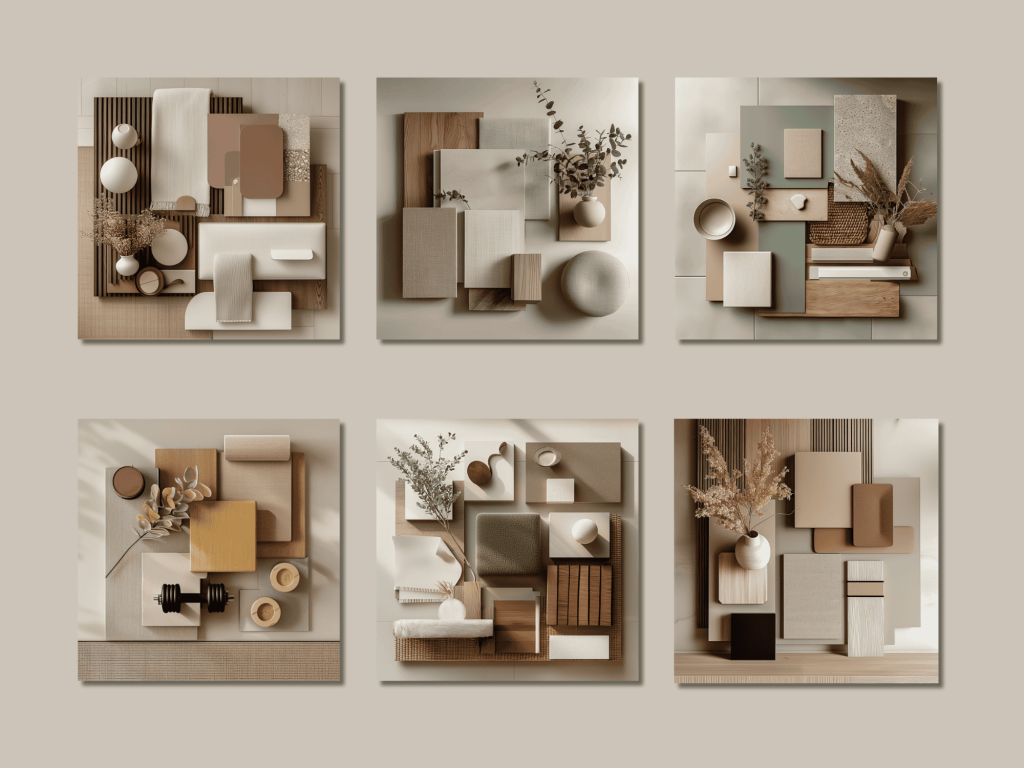
Forget spending hours sketching preliminary concepts or wrestling with complex 3D modeling software just to show a client a “vibe.” Midjourney has fundamentally changed the interior design workflow. It allows you to iterate on textures, lighting, and spatial layouts in seconds.
To get professional results, you need to move beyond simple prompts. This guide covers the specific parameters and keywords that turn a generic AI image into a high-end design concept.
1. The Core Prompt Formula
A professional interior design prompt works best when structured logically. Follow this framework:
[Subject/Room Type] + [Design Style] + [Key Details/Materials] + [Lighting/Atmosphere] + [Camera/Shot Type] + [Parameters]
-
Example: Modern minimalist living room, floor-to-ceiling windows, white bouclé sofa, white oak flooring, soft afternoon sunlight, architectural photography, 8k –ar 16:9
2. Essential Style Keywords
Using the right terminology helps Midjourney understand the specific “look” you are targeting:
| Style | Key Elements to Include |
| Biophilic | Living walls, natural wood, organic shapes, abundant sunlight. |
| Japandi | Neutral tones, functional minimalism, shoji screens, matte ceramics. |
| Industrial Loft | Exposed brick, polished concrete, black steel frames, high ceilings. |
| Maximalist | Bold patterns, velvet textures, eclectic gallery walls, rich jewel tones. |
| Mid-Century Modern | Tapered legs, teak wood, geometric shapes, mustard and teal accents. |
3. Mastering Materials and Textures
To avoid “flat” images, specify the materials. Midjourney excels at rendering light hitting different surfaces.
-
Stone: Carrara marble, honed travertine, fluted limestone.
-
Fabric: Belgian linen, ribbed velvet, chunky knit, cognac leather.
-
Wood: Herringbone walnut, reclaimed oak, charred wood (Shou Sugi Ban).
-
Metal: Brushed brass, matte black steel, satin nickel.
4. Professional Lighting & Photography
Lighting is the difference between a “CGI look” and a professional interior photograph. Use these descriptors:
-
Golden Hour: Warm, long shadows, soft glow.
-
Diffusion: Soft, even light with no harsh shadows.
-
Volumetric Lighting: To show dust motes or visible light beams through windows.
-
Photography Specs: “Shot on 35mm lens,” “Depth of field,” or “Wide-angle architectural shot.”
5. Must-Know Parameters
Parameters are the “code” at the end of your prompt that control the technical output.
-
--ar 16:9or3:2: Essential for wide interior shots. -
--v 6.0: Ensures you are using the latest, most photorealistic model. -
--stylize [0-1000]: Use a lower number (e.g.,--stylize 250) for more realistic, literal interpretations. Use higher numbers for more “artistic” flair. -
--no [element]: Use this to exclude things you don’t want (e.g.,--no clutter, people, toys).
6. Pro Tip: Using Image Prompts
If you have a photo of a specific sofa or a floor plan, you can upload that image and use its URL at the start of your prompt. This tells Midjourney to use the structure or color palette of the existing image as a reference for the new design.
Prompt Example:
https://www.befunky.com/features/photo-to-sketch/ ultra-modern kitchen, emerald green cabinetry, marble backsplash, photorealistic --ar 16:9
Cheat Sheet Summary
-
Focus on Lighting: Always specify if it’s natural, mood, or accent lighting.
-
Be Specific with Furniture: Instead of “chair,” try “Eames-style lounge chair” or “sculptural travertine coffee table.”
-
Check the Aspect Ratio: Horizontal layouts (
--ar 3:2) almost always look better for interiors than the default square.